Screenshot Annotate
Select any area, mark it up with 5 tools, then share with one click.
Select any area, mark it up with 5 tools, then share with one click.
Drag to freely select any region. Adjust with 8-direction handles, drag to move, or right-click to start.
Drag your mouse to freely select any area with real-time dimensions
Corner and edge handles for precise size adjustment
Drag inside the selection to reposition it
Start screenshot feedback from the right-click menu — no need to click the extension icon
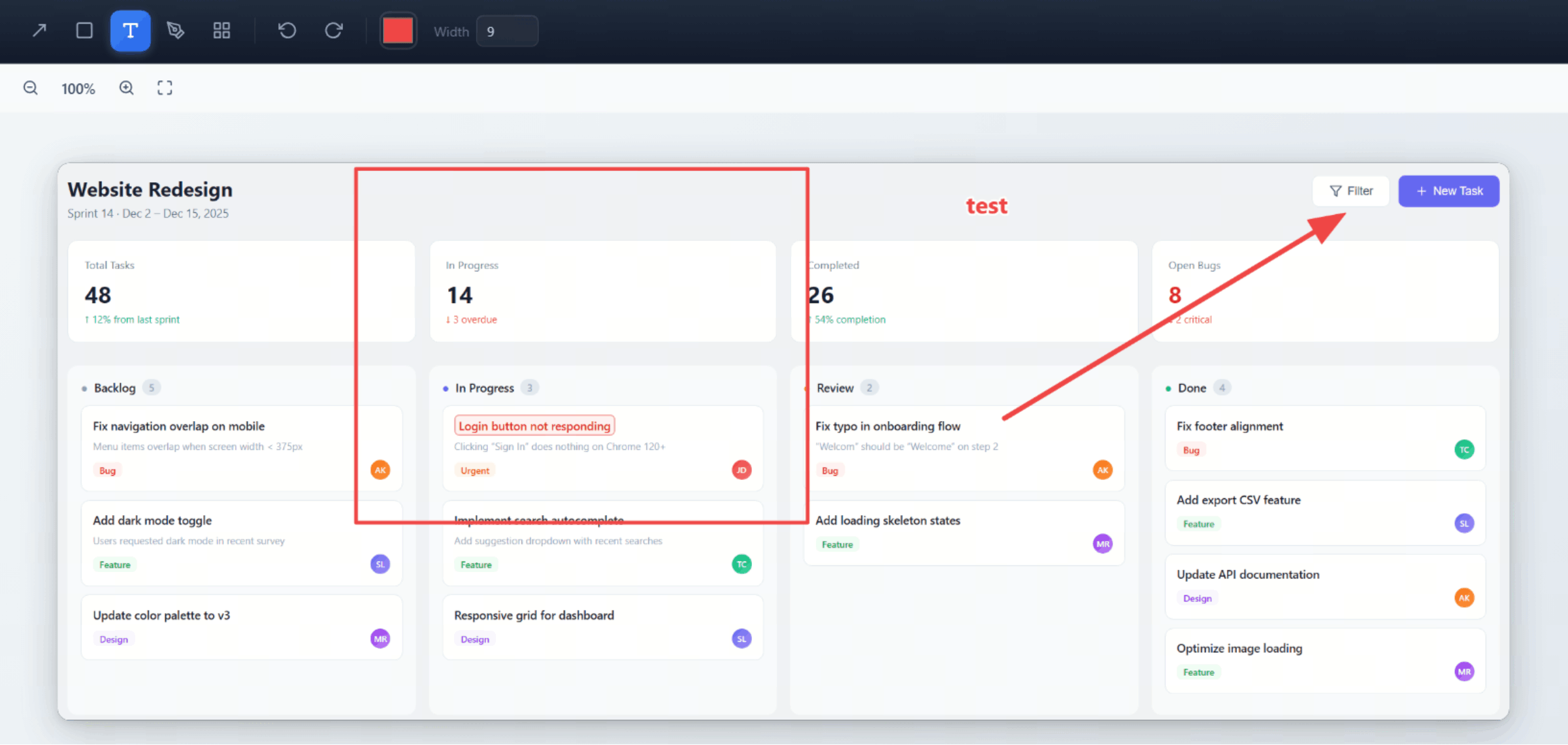
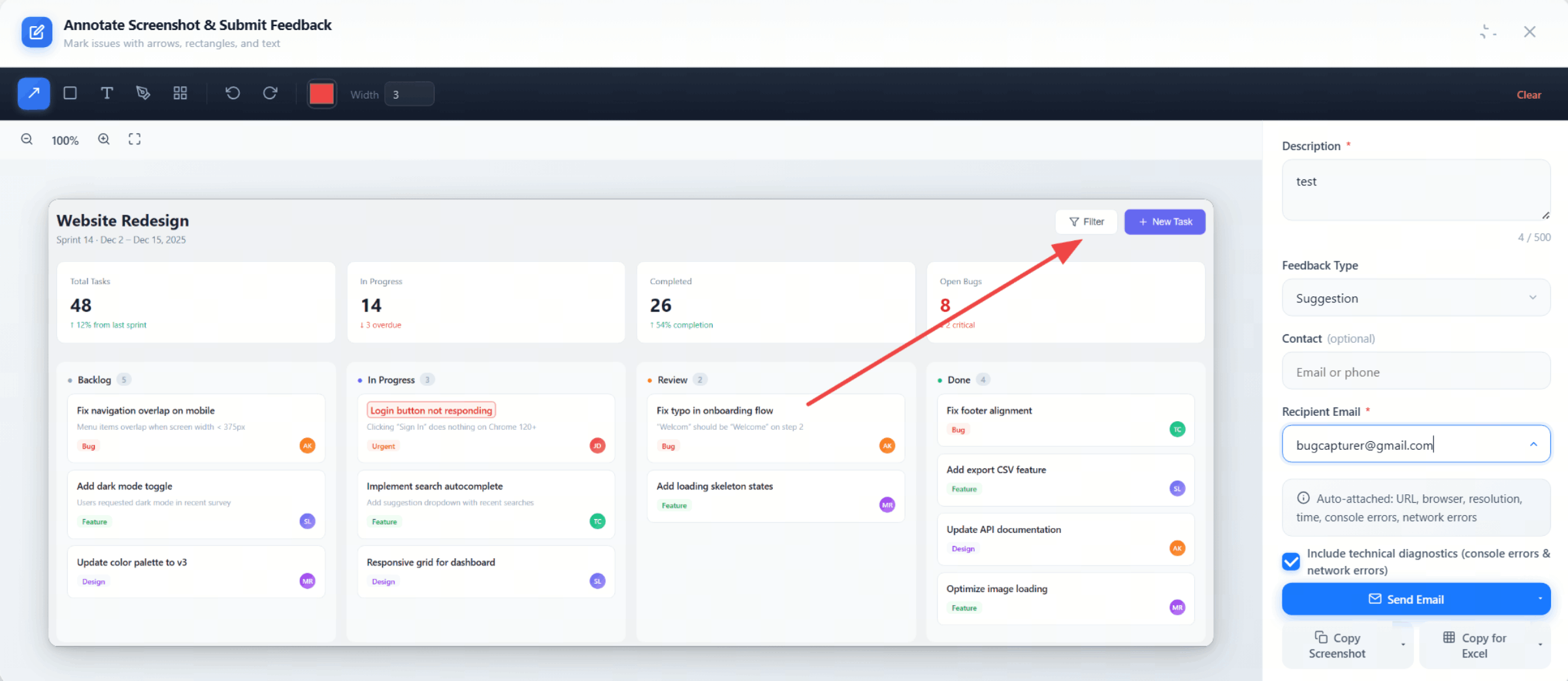
Point to problems, box areas, add notes — flexible combinations for any issue.
Supports color selection, brush size 1–20, undo/redo (Ctrl+Z / Ctrl+Y), one-click clear.
| Zoom Range | 25% – 500% |
|---|---|
| Undo / Redo | 30 steps (Ctrl+Z / Ctrl+Y) |
| Brush Size | 1 – 20 |
| Clear Annotations | One-click clear (with confirmation) |
| Color Selection | Multiple colors available |
No manual filling — all metadata is captured automatically when you submit.
One click generates a public link and copies it for you. Recipients need no plugin and no account — it just opens. Anonymous 30 days, signed-in 90 days
Pick the destination while you share — the site project, a team integration, or your own. Reports land as rows, with no copy-paste afterwards.
Every share shows up in the web console, with its view count — sign in to review the list or delete any of them.
Invite teammates into a team and share one set of integrations and projects. One integration serves the whole group — and every report carries the reporter's name.
Buttons overlapping, alignment off, colors wrong — one annotated screenshot says it all
Typos, wrong wording, missing labels — mark them up and send
Verify designs match specs — annotate differences and send for review
Turn any report into a public link — recipients just open it, no install needed
Record your tab for up to 60 seconds, then share it in one click
Console, network and environment context attached to every report
One script tag lets any site visitor report without installing anything.