Screenshot Annotate
Select any area, mark it up with 5 tools, send by email in one click.
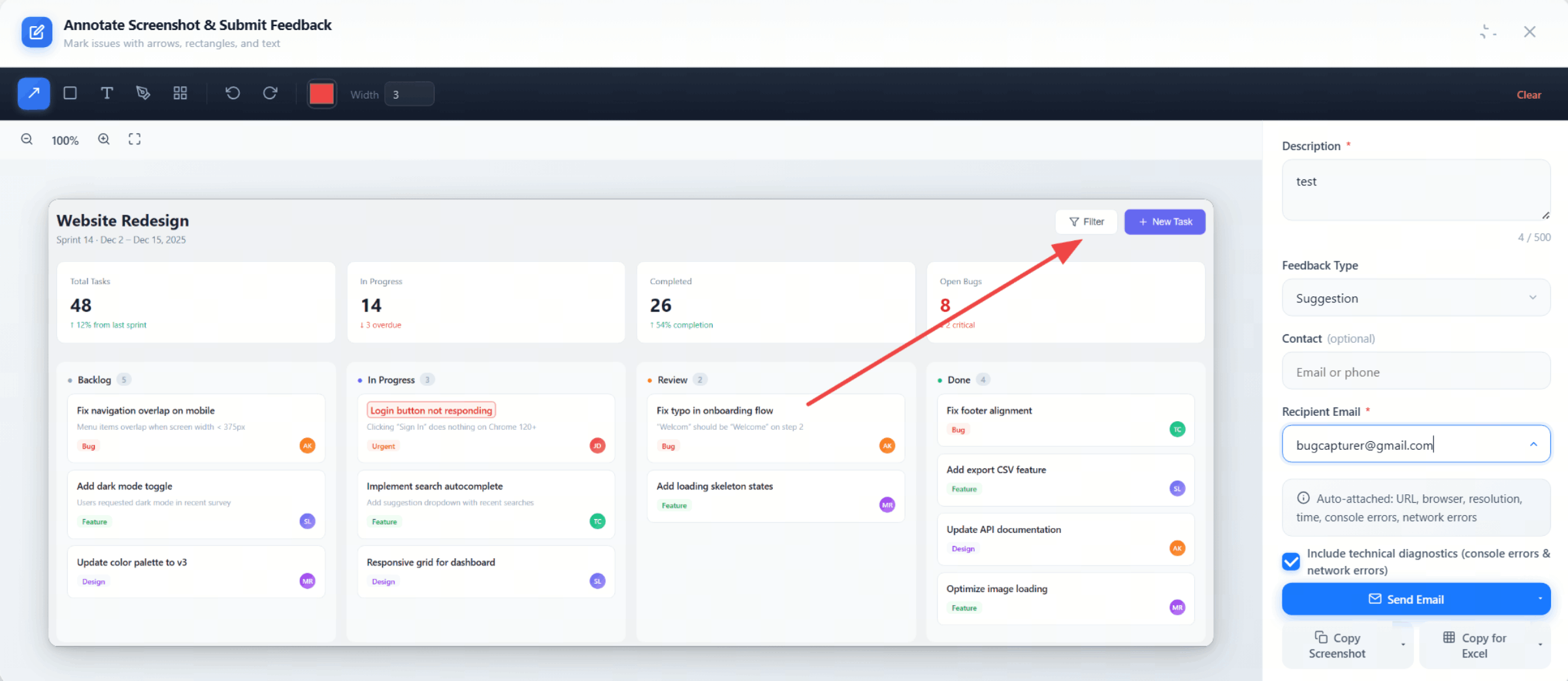
Select any area, mark it up with 5 tools, send by email in one click.
Drag to freely select any region. Adjust with 8-direction handles, drag to move, or right-click to start.
Drag your mouse to freely select any area with real-time dimensions
Corner and edge handles for precise size adjustment
Drag inside the selection to reposition it
Start screenshot feedback from the right-click menu — no need to click the extension icon
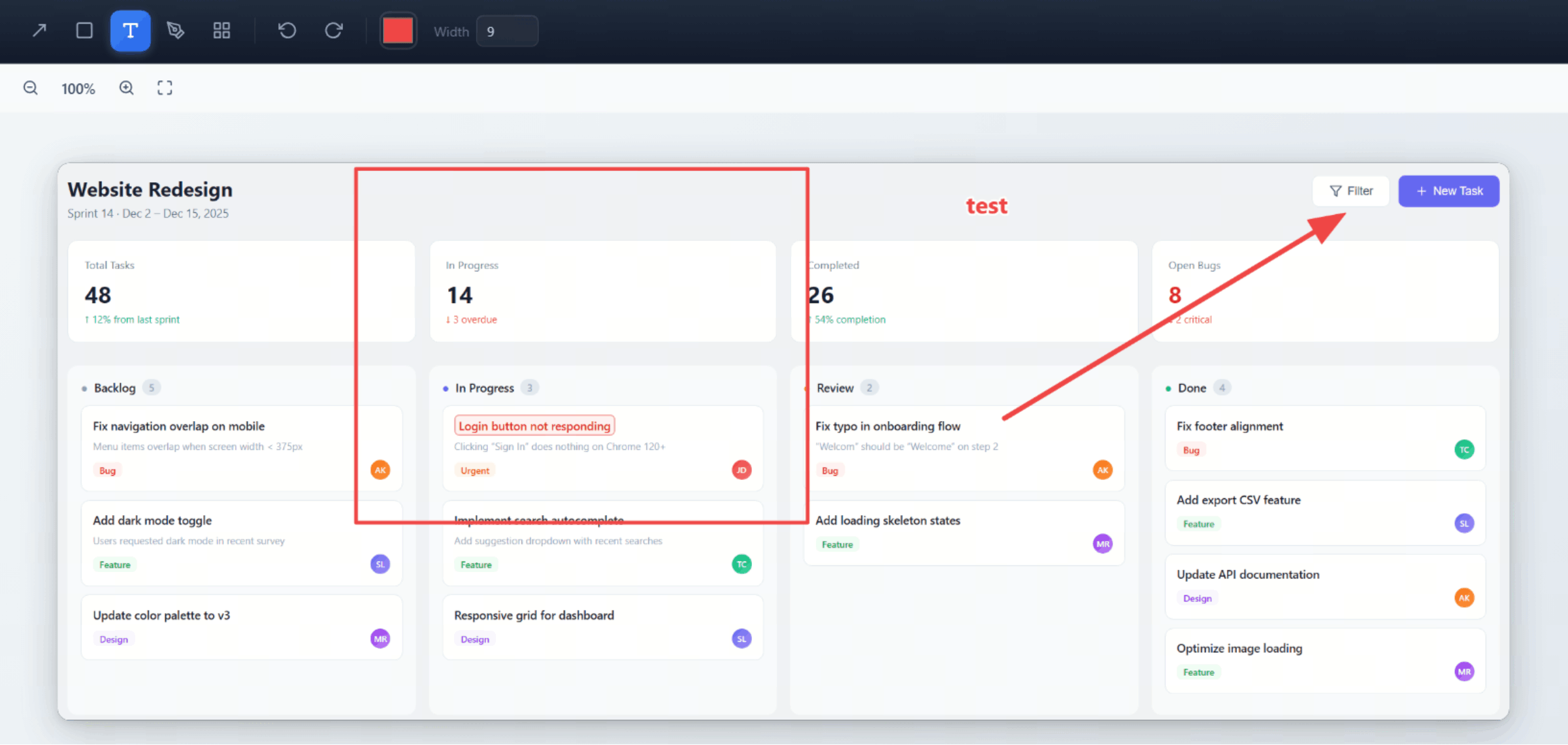
Point to problems, box areas, add notes — flexible combinations for any issue.
Supports color selection, brush size 1–20, undo/redo (Ctrl+Z / Ctrl+Y), one-click clear.
| Zoom Range | 25% – 500% |
|---|---|
| Undo / Redo | 30 steps (Ctrl+Z / Ctrl+Y) |
| Brush Size | 1 – 20 |
| Clear Annotations | One-click clear (with confirmation) |
| Color Selection | Multiple colors available |
No manual filling — all metadata is captured automatically when you submit.
Launches your email client with subject, body, and screenshot pre-filled
Email body (with metadata and diagnostics) copied to clipboard
Save the screenshot as a PNG file
Screenshot auto-copied — paste with Ctrl+V
12-column TSV row copied to clipboard — paste into any spreadsheet
Remembers your last 5 recipient emails with dropdown search
Buttons overlapping, alignment off, colors wrong — one annotated screenshot says it all
Typos, wrong wording, missing labels — mark them up and send
Verify designs match specs — annotate differences and send for review
Free forever, no signup. Install in seconds, send your first annotated screenshot today.
Add to Chrome — Free