Free • No Signup • Privacy First

Screenshot & Annotate
Send Bug Reports in Seconds

Select the problem area, add arrows and text annotations, auto-collect technical metadata and diagnostics, and send via email — lightweight, fast, zero barrier.

BugCapturer — Screenshot & Feedback
Bug!
Description
Mobile buttons overlapping...
Feedback Type
🐛 Bug
Recipient Email
dev@company.com
Include tech diagnostics
Everything you need,
nothing you don't.
No bloated features, no signup walls, no data uploads. From "found a bug" to "report sent" — the shortest path.
📸

Area Screenshot

Drag to select any area, capture only what you need. 8-direction handles and drag-to-move for precise capture.

✏️

5 Annotation Tools

Arrow, rectangle, text, brush, mosaic — pinpoint issues and redact sensitive info. Undo/redo up to 30 steps.

⚙️

Auto Tech Metadata

URL, browser, OS, screen resolution, viewport, device pixel ratio, timestamp — all collected automatically.

📧

One-Click Email

Auto-launch your email client with subject, body, and screenshot pre-filled. Multiple fallback methods ensure success.

📋

Clipboard Ready

Screenshot auto-copied to clipboard. Ctrl+V to paste in email. Also supports copy body text, download PNG, and more.

🌐

7 Languages

中文, English, Deutsch, Français, Español, Português, 日本語 — global coverage with localized experience.

🖱️

Context Menu Shortcut

Right-click any page to start screenshot feedback. Works on pages, images, links, and selected text.

📮

Email Memory

Auto-remembers the last 5 recipient emails with dropdown selection and search filtering.

🔍

Canvas Zoom ControlNEW

25%-500% zoom range, one-click maximize/restore toggle. Zoom in for detail, zoom out for overview.

* Team and enterprise API features will be evaluated based on usage, reviews, and email feedback. Suggestions welcome via email!

Auto Tech Diagnostics CollectionNEW
Automatically collect console errors and failed network requests, providing precise diagnostic clues to reduce bug reproduction costs.
🔴

Console Error Collection

Auto-capture error-level console logs with message and source location (file:line:col), up to 10 entries.

Level:Error
Message:Uncaught TypeError: Cannot read properties of undefined
Source:app.js:123:15
Level:Error
Message:ReferenceError: handleClick is not defined
Source:index.js:45:8
🟡

Failed Network Request Collection

Auto-collect failed requests with HTTP status ≥ 400, including sanitized URL, method, status code and text, up to 5 entries.

URL:https://api.example.com/users?token=***
Method:GET
Status:404
Status Text:Not Found
URL:https://api.example.com/orders?key=***
Method:POST
Status:500
Status Text:Internal Server Error
🔒

URL Sanitization

Auto-replace sensitive params like token/key/secret/password with ***

User Opt-In

Checked by default, users can opt out at any time

One-Time Collection

Only collected on submit, no background monitoring

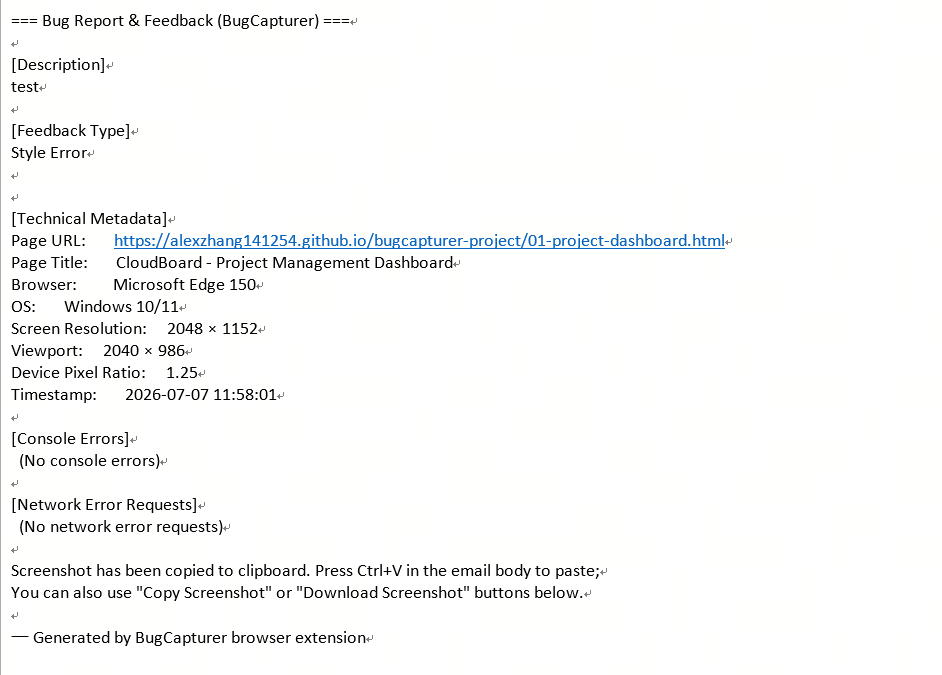
Email Body Preview
When "Include tech diagnostics" is checked, the email body will automatically include:
3 Steps, 30 Seconds.
From finding a bug to sending a detailed report — faster than writing a Slack message.
1

Screenshot

Click the extension icon or right-click menu, drag to select the problem area with adjustable handles.

2

Annotate & Describe

Use arrows, rectangles, text and more to mark issues. Fill in description and recipient, check diagnostics.

3

One-Click Send

Click send to auto-collect metadata and diagnostics, copy screenshot to clipboard, and launch email client.

Real-World Usage
See BugCapturer in action — clean, efficient, professional.
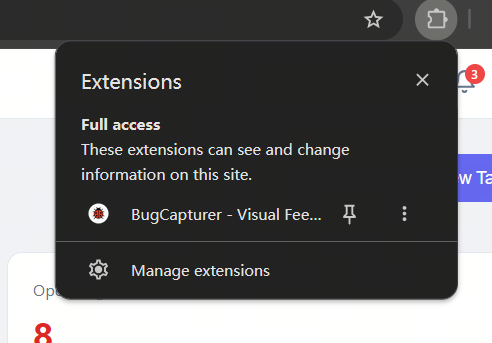
Plugin Panel

Plugin Panel

Click the extension icon to open the main panel — a clean, intuitive entry point for screenshot feedback.
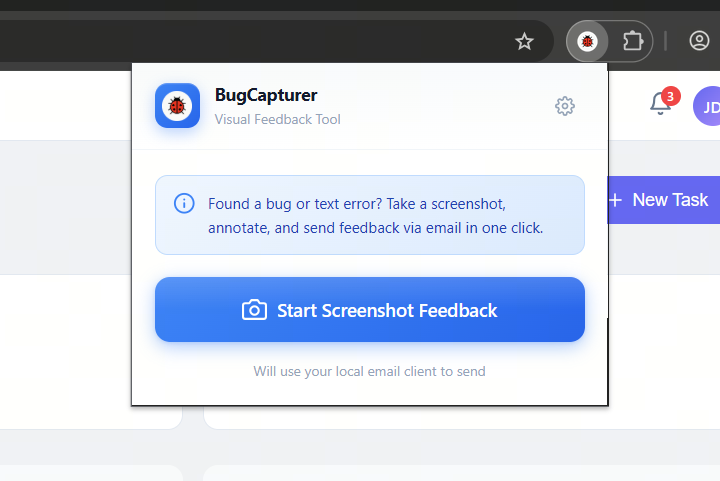
Area Selection

Area Selection

Drag to freely select the screenshot area with real-time dimensions and adjustable handles.
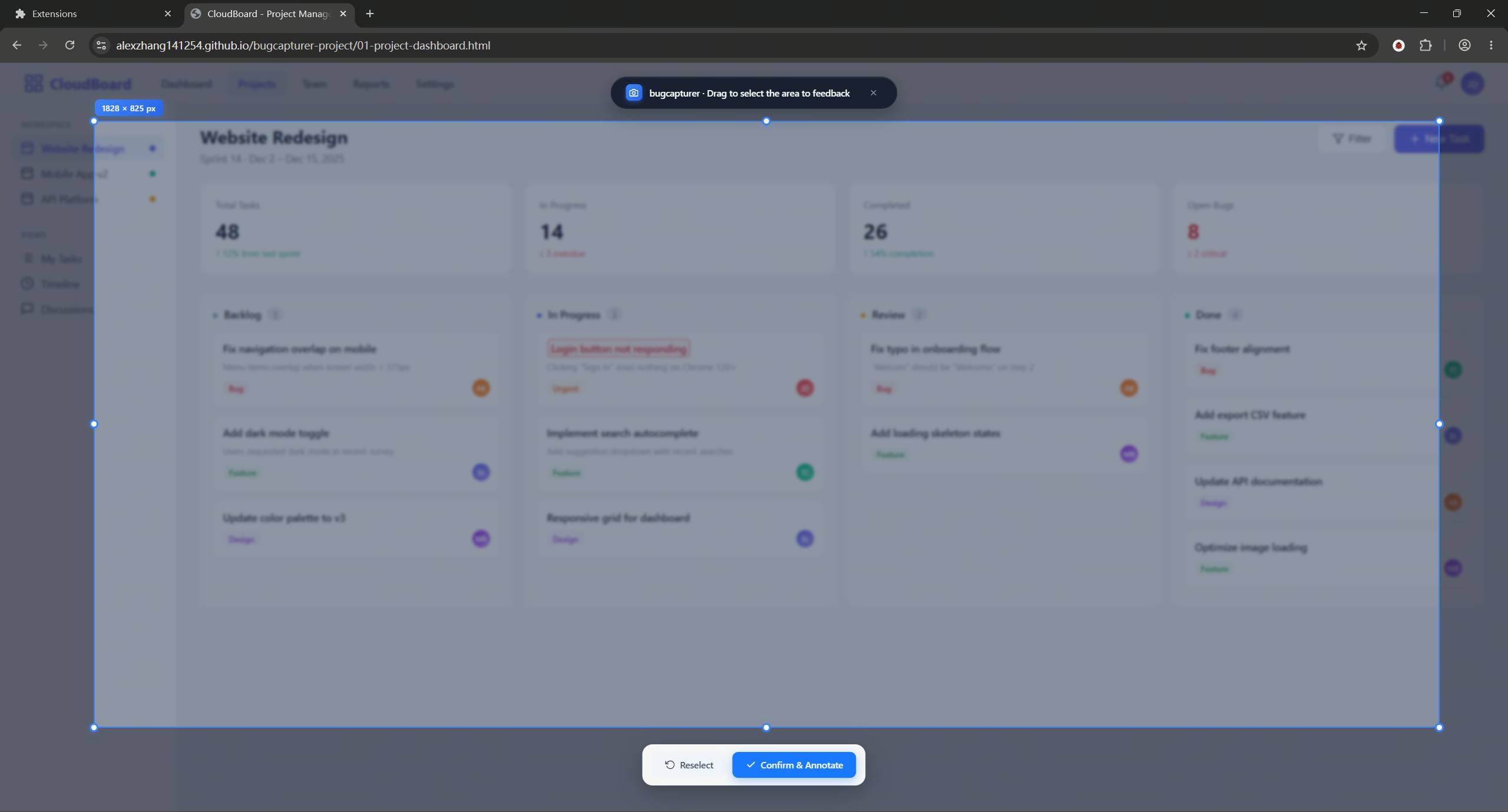
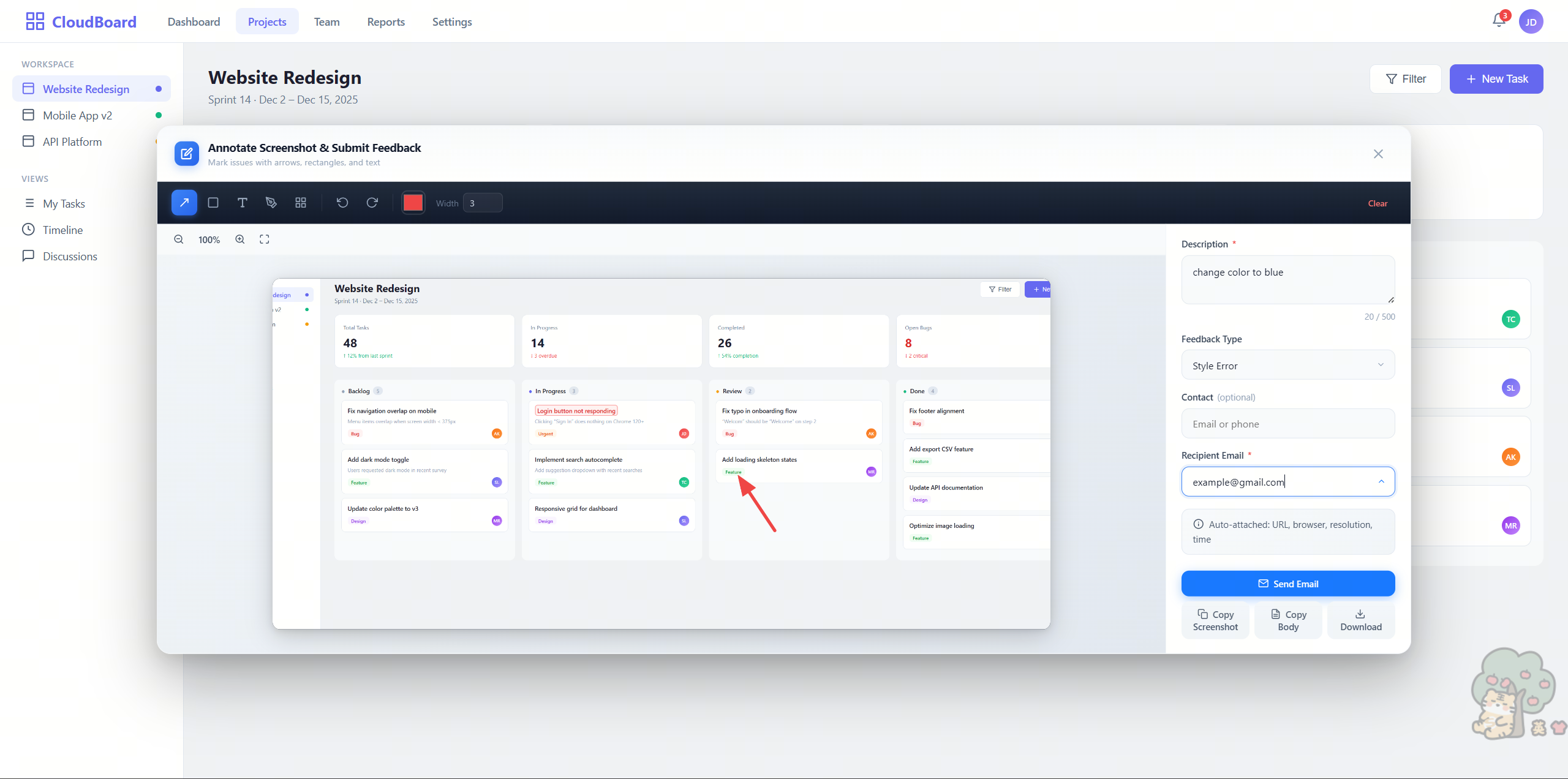
Annotation Editor

Annotation Editor

5 annotation tools for precise marking, feedback form on the right — all in one place.
Annotation Showcase

Annotation Showcase

Arrows, rectangles, text labels, mosaic redaction — flexible annotation combinations.
Send & Alternatives

Send & Alternatives

One-click email send with alternatives: copy screenshot, copy body text, download PNG.

Your data stays
in your browser.
No servers, no accounts, no tracking. Everything runs locally — this isn't a feature, it's a principle.
🔒

Zero Data Upload

Screenshots, annotations, and form data never leave your device. No cloud, no API, no third-party servers.

🚫

No Signup Required

Install and use instantly — no registration forms, email verification, or onboarding. Guest mode by default.

🛡️

Enterprise Security

Data stays in the browser — fully compliant with strict enterprise security and privacy requirements.

📦

Minimal Permissions

Only requests essential permissions like activeTab, storage, scripting. No background collection or monitoring.

7 Languages, Global Coverage
No matter where your users are, BugCapturer speaks their language.
🇨🇳 中文
🇺🇸 English
🇩🇪 Deutsch
🇫🇷 Français
🇪🇸 Español
🇧🇷 Português
🇯🇵 日本語
Stop describing bugs,
start showing them.
Free forever, no signup. Install in seconds, send your first bug report today.
Add to Chrome — Free